Scanned a Tilde Card? Make your own
free · open source · no account · android
~ Tilde
Your business card, on your phone.
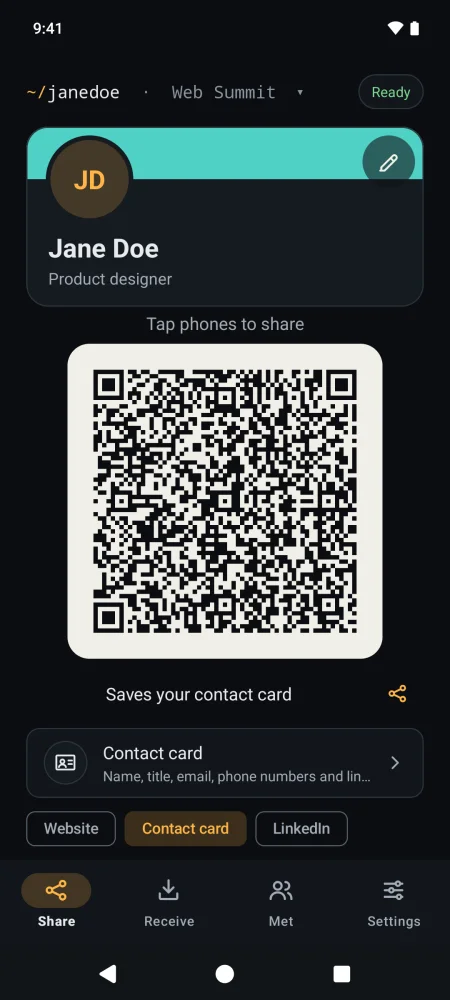
Tap phones to share your contact card, your website or your WhatsApp, or let them scan the code on your screen. Free and open source, with no account and no internet: your details stay on your phone until you share them.
version 1.2.0 · 2.0 MB · android 8 or newer
Dark or light, in English or Portuguese. Tapping needs NFC, the contactless feature most Android phones have; the QR code works with any phone.
install in a minute
- 01
Tap download for android on your Android phone. If your browser warns about the file, tap Download anyway.
- 02
Open the file. Android asks to let your browser install apps: tap Settings, turn on Allow from this source, and go back.
- 03
Tap Install. If Google Play Protect (Android’s built-in app check) doesn’t recognize the developer, choose Install anyway: Tilde isn’t in the Play Store yet.
No account, no developer mode. Every release is built from the public code and signed with the same key. Full install guide →
one tap, the right details
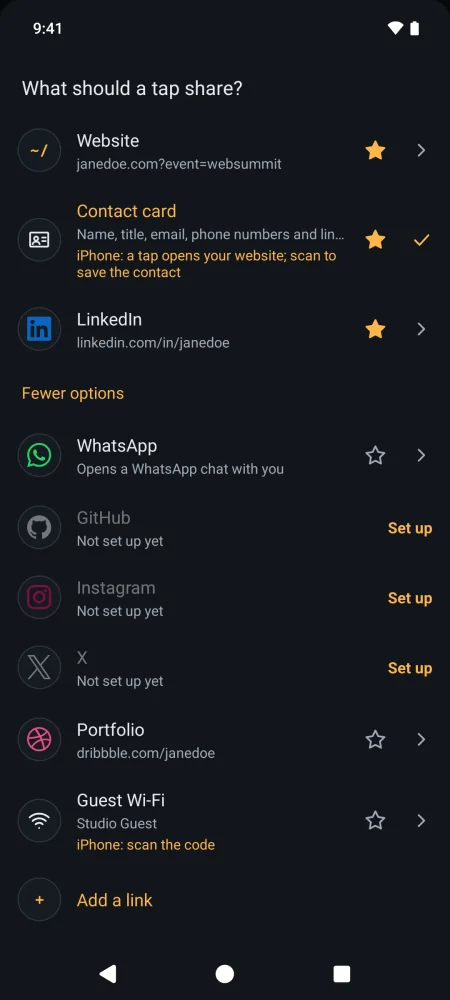
Tap the line under the QR code to switch what the next tap shares, depending on who you’re talking to.
Contact card
Your name, title, company, phone numbers, email, website and social links, all at once and ready to save to their contacts. It’s the standard format every phone’s contacts app understands.
A link
Your website, LinkedIn, GitHub, Instagram, X or any link you like. Links to your own site can carry the name of the event you’re at, and it clears itself at the end of the day.
WhatsApp
Opens a chat with you, with a short greeting already typed so they can say hello in one tap.
Guest Wi-Fi
Joins your network without anyone reading out a password.
a card for every room
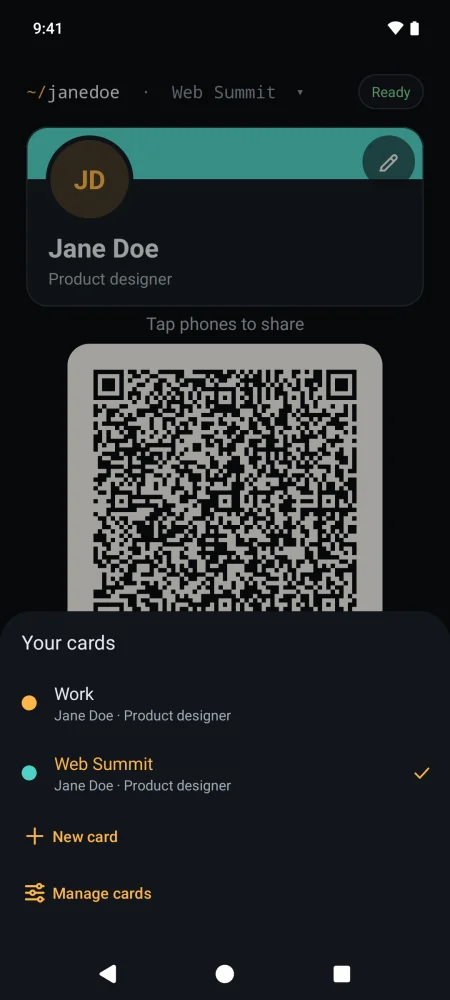
Keep a card for work, one for personal life and one for a side project or an event, each with its own name, photo, links and color. Swipe your card to switch before you tap. Only you see the labels.
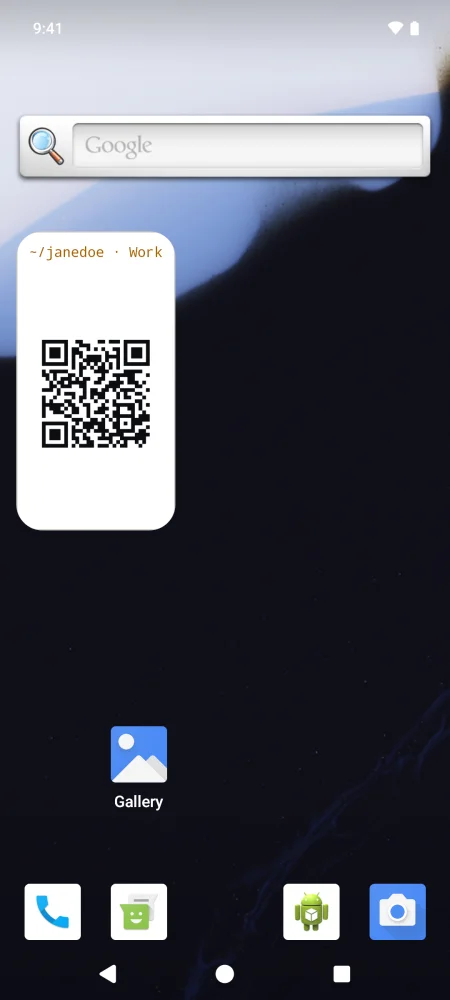
Put your code on your home screen with the Tilde QR code widget, for sharing by scan in a second.
how it works
- 01
Fill in your card
Name, job title, company, email, phone and links, plus a photo if you like. It all stays on your phone.
- 02
Hold the phones together
Back to back for a second or two. Their phone doesn’t need any app: it reads yours the way it reads a contactless card or sticker. Or they scan the code on your screen.
- 03
Remember who you met
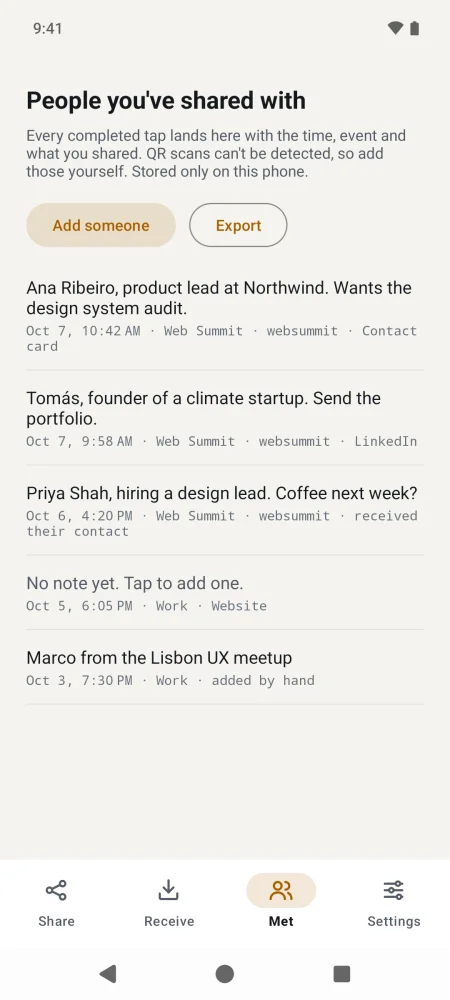
Every tap lands in your Met list with the time and the event. Add a note while it’s fresh (Tilde can ask after each tap), export the list, or have old entries delete themselves after 3, 6 or 12 months.
free, and yours
- accounts, sign-ups or subscriptions
- 0
- internet access: it can’t send your details anywhere
- 0
- open-source license: read, change and share the code
- MIT
No ads, no analytics and no cloud backup. Your cards, photos and Met list stay on your phone until you share them. Choose what each card gives away: leave your phone number off an event card, for example. Delete all data removes everything in one tap, as uninstalling would.
the tilde card (optional)
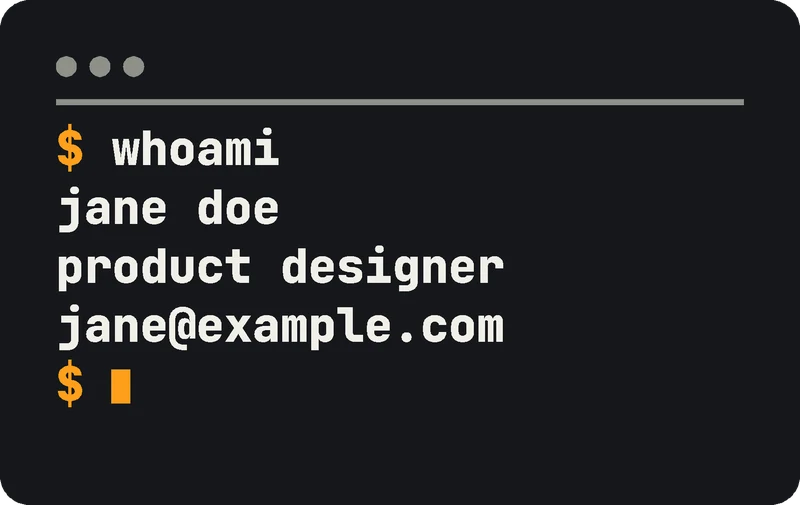

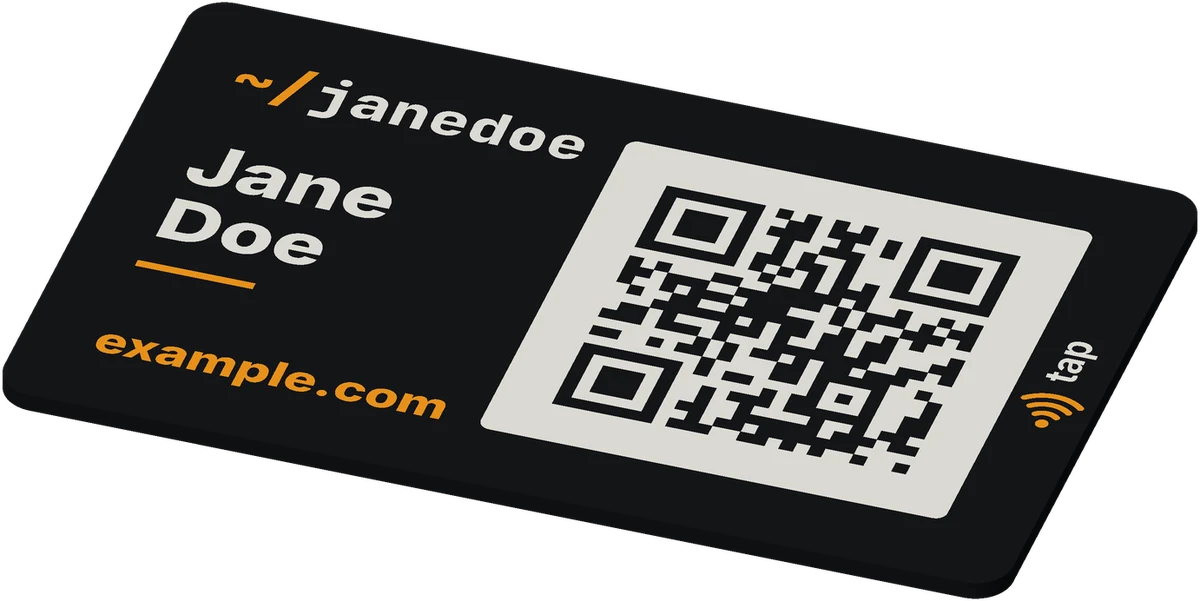
Tilde works on its own, but if you have a 3D printer there’s a free Tilde Card to go with it. A QR code on the front opens your website, and an optional NFC sticker inside lets people tap it too.
Type in your name, links and colors, choose a back (a terminal window, a plain one or none), and print it all at once on a multi-color printer. Tilde can write your link or your whole contact card onto its NFC sticker, and lock it if you want it never to change.
Coming soon: customize it in your browser on MakerWorld.
questions
Does the other person need Tilde?
No. Their phone reads yours the way it reads a contactless card or sticker, and anyone can scan the QR code with their camera.
Does it work with iPhones?
iPhones read Tilde, but they only act on links from a tap. If you share your contact card, a tapping iPhone opens your website instead, and scanning the code on your screen saves the contact.
Why only Android?
Android lets apps make the phone act like a contactless card; iPhones don’t allow it. They can still read Tilde, though.
Which languages is it in?
English and European Portuguese. It follows your phone’s language, or choose in Settings → Language.
Do I have to open Tilde to share?
By default, yes: Tilde only answers taps while it’s on screen, so nothing goes out from your pocket. Switch on Settings → Sharing → Answer taps when Tilde is closed and it answers whenever your phone is unlocked, never from the lock screen.
What if I change phones?
Save a backup to a file (Settings → Backup and restore), move it to your new phone however you like, and restore it there. Tilde has no cloud and no account, so the file is yours; it isn’t encrypted, so keep it somewhere private.
Is it really free?
Yes. No price, no paid tier, no account and no ads. The code is public under the MIT license, so anyone can check what it does.
What happens to my details?
They stay on your phone. Tilde has no internet permission, no account and no analytics, and nothing leaves your phone until you share it. Read the privacy page →
How do I install it without the Play Store?
No developer mode needed: follow the three steps under install in a minute near the top of this page, or the full install guide. For automatic updates, the free Obtainium app can check for new versions for you (how).
~ Tilde is free and open source.